

Word integration
The law in force, inside the document.
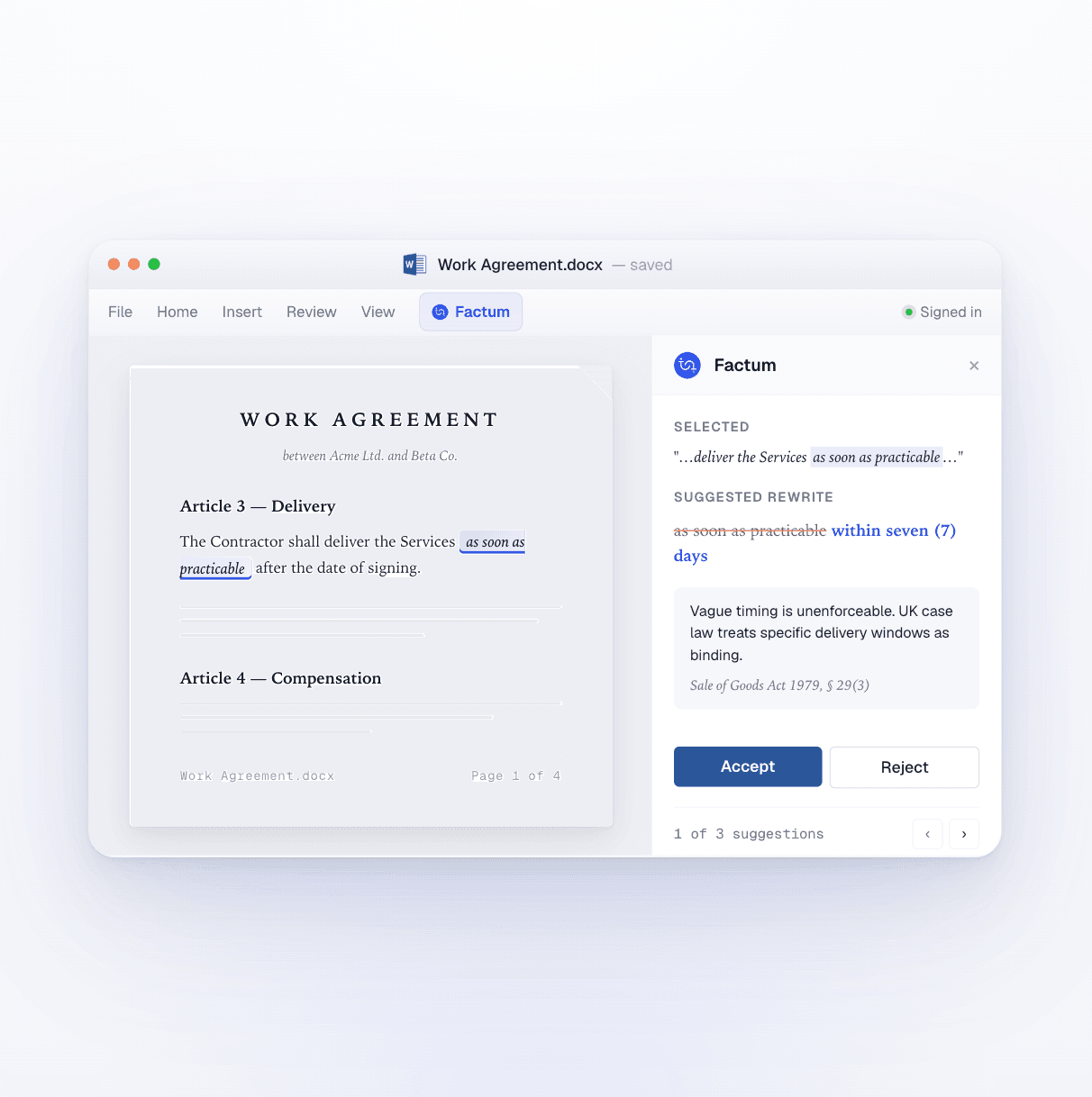
Factum's official Microsoft Word add-in puts research, drafting and clause checks in a panel beside the page. Select a passage, ask, and the answer, the citation or the rewrite lands in the document you are already working in.
No credit card required
How it works
Three things you stop leaving Word to do
Every step a draft goes through — the research, the writing, the check — happens in the same window as the document. Nothing is copied out and pasted back.
Research
Ask about the statute, from the paragraph you are on
Select a clause and ask what governs it. Factum answers from the consolidated law of the jurisdiction you chose, returns the article and its source, and drops the citation into the text when you want it there.
- Consolidated national law, EU law and bylaws
- The article and its source with every answer
- Citations inserted at the cursor
Drafting
Draft and rewrite on your own templates
Switch the panel to Edit and Factum writes into the document: a new agreement from your firm's template, a missing clause, or a tighter version of the passage you selected. In Ask mode it only answers and never touches the text.
- New documents and edits to existing ones
- Your firm's own templates
- Edit mode writes into the document; Ask mode never does
Clause check
Check the draft against the law before it leaves your desk
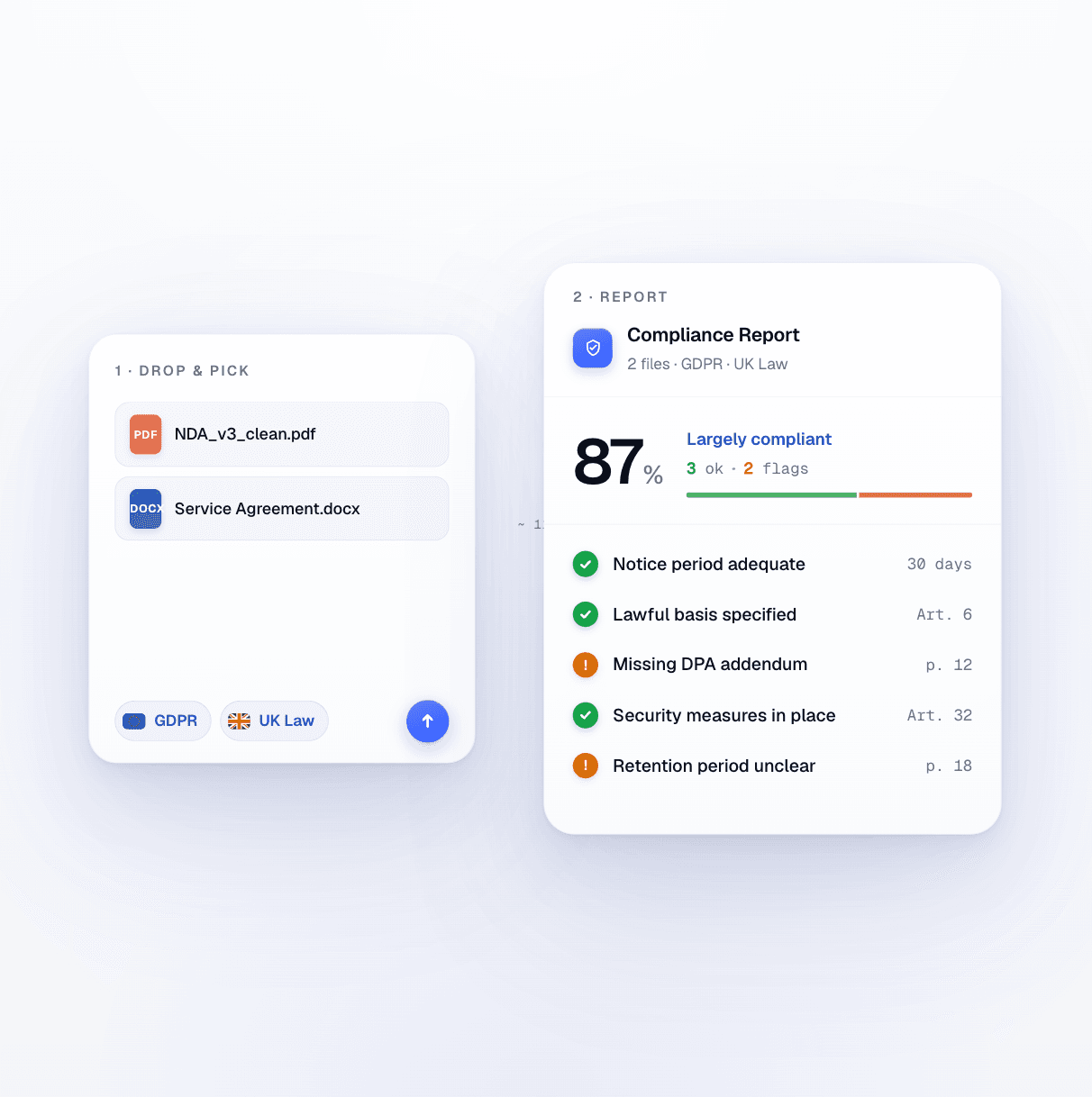
Ask whether a clause holds under the law in force. Factum flags what does not, explains why, cites the provision and proposes the wording that would.
- Every flag cites its article
- Works on your draft or the other side's
- Same zero data retention as the app
In practice
Ask it from the panel
Three requests our users make from inside Word.
Cite the provision
Which article of the Obligations Act governs this limitation-of-liability clause? Insert the citation after the sentence.
Rewrite the clause
Rewrite the selected termination clause so that notice is 30 days in writing, and keep our template's numbering.
Check the draft
Check Articles 5 to 9 against the current data protection law and flag anything that would not hold.
Why it matters
What changes at the desk
Teams tell us the add-in is the reason Factum gets used every day: it lives where the drafting already happens.
Zero
tabs to switch: the research, the draft and the check happen beside the page
One panel
for the whole matter, from the first question to the signed version
Every clause
tied to the provision that governs it, cited in the document
Factum has significantly changed the way I work – processes are faster, documentation is more organized, and communication with clients is clearer. Instead of getting lost in routine tasks, I can devote more time to the essence of the cases and to developing the legal strategy.
Questions
Questions about the Word add-in
See it on your own documents
A 30-minute walkthrough with the team, in your jurisdiction, on a file you choose.
Open Word, go to Add-ins and search for Factum, or install it from Microsoft AppSource. Sign in with your Factum account and the panel appears on the ribbon. It works in Word for Windows, Mac and the web.
Save time on legal analysis
Join thousands of legal professionals who already work with Factum.
No credit card required